For many businesses, Microsoft Excel is where everything begins.
Customer lists.
Sales tracking.
Inventory records.
Expense management.
Financial reporting.
Excel is affordable, familiar, and incredibly useful during the early stages of a business.
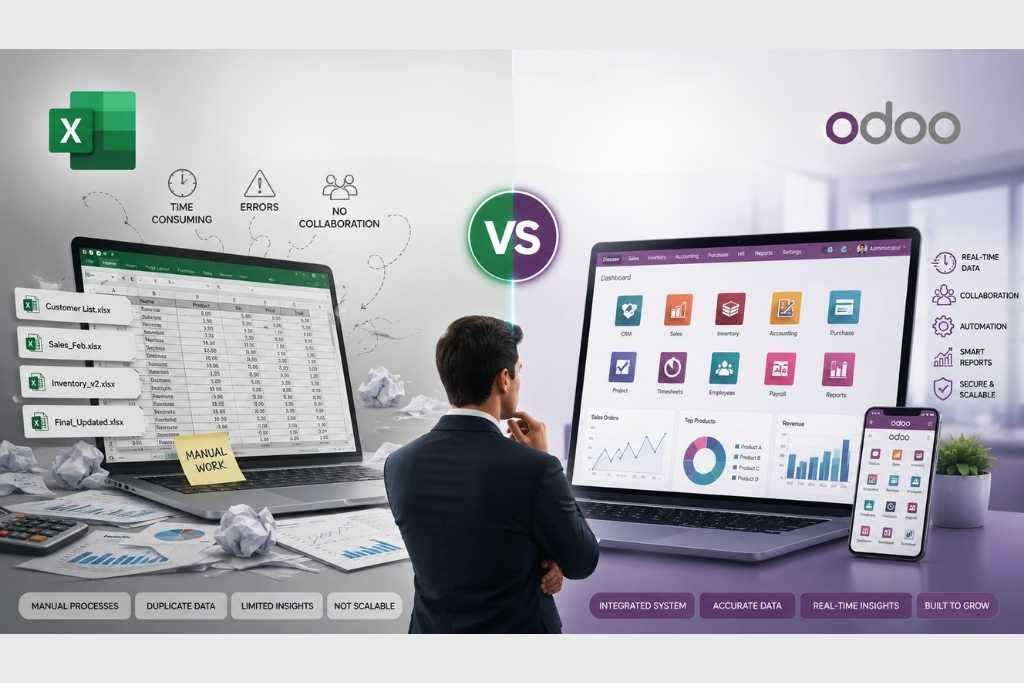
But as your business grows, so does the complexity of managing operations. Multiple spreadsheets, duplicate data, manual calculations, and version control issues can quickly become daily challenges.
This is where many businesses begin considering an ERP (Enterprise Resource Planning) system like Odoo ERP.
So, which is better for a growing business?
Let’s compare.
What is Microsoft Excel?
Excel is a spreadsheet application designed for organizing, calculating, and analyzing data.
Businesses commonly use Excel for:
- Sales tracking
- Budget planning
- Expense management
- Customer lists
- Inventory records
- Financial calculations
- Reporting
Excel is extremely flexible because you can build almost anything with formulas and templates.
However, flexibility often comes with limitations as your business expands.
What is Odoo ERP?
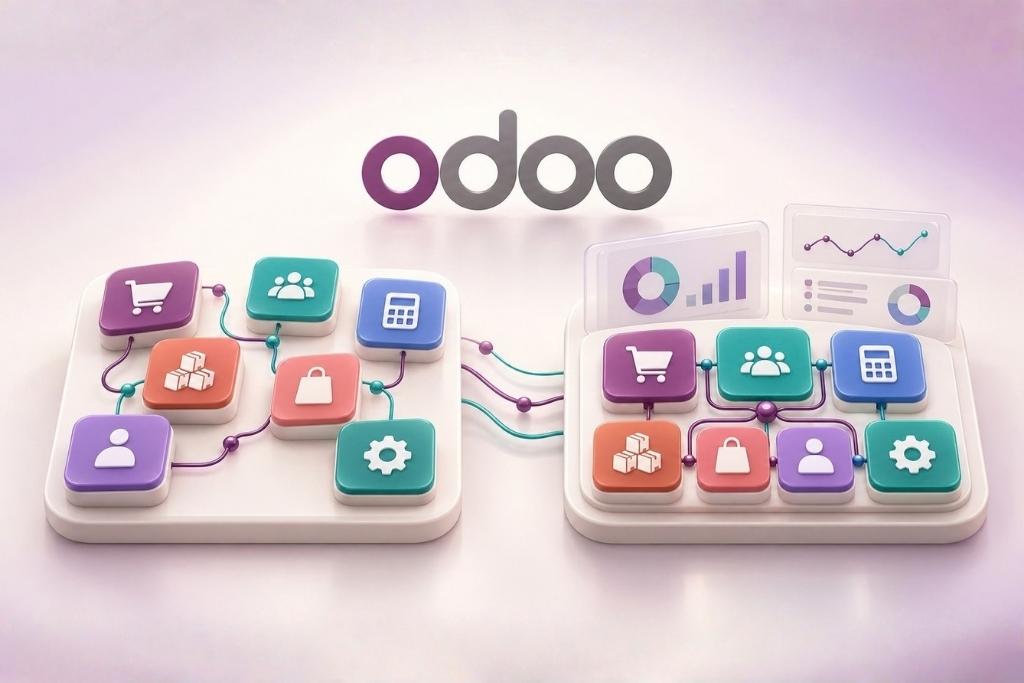
Odoo ERP is an integrated business management software that connects every department into one centralized system.
Instead of maintaining separate spreadsheets for different teams, everyone works within the same platform.
Odoo offers modules for:
- CRM
- Sales
- Purchase
- Inventory
- Accounting
- HR & Payroll
- Manufacturing
- Project Management
- Field Service
- Helpdesk
- Website & eCommerce
Every department shares the same live data, eliminating duplicate entries and improving collaboration.
1. Data Management
Excel
Every department often maintains its own spreadsheet.
Sales may have one file.
Accounts another.
Inventory another.
This creates duplicate data and increases the risk of errors.
Odoo ERP
Every department accesses one centralized database.
When a salesperson confirms an order:
- Inventory updates automatically.
- Accounts generate invoices.
- Management can monitor progress instantly.
No duplicate entries.
No manual updates.
2. Collaboration
One of Excel’s biggest challenges is collaboration.
How many times have you seen files named:
- Final.xlsx
- Final_New.xlsx
- Final_Latest.xlsx
- Final_V3_Final.xlsx
Different employees may work on different versions of the same spreadsheet, creating confusion.
With Odoo ERP, everyone works on the same live system.
Changes are visible instantly, reducing communication gaps and eliminating version-control issues.
3. Automation
Excel depends heavily on manual work.
Employees often:
- Copy data
- Paste information
- Update formulas
- Generate reports manually
- Send reminder emails
Odoo automates many of these tasks.
Examples include:
- Automatic invoice creation
- Sales order approvals
- Purchase workflows
- Stock updates
- Payment reminders
- Employee notifications
- Report generation
Automation saves time and reduces human error.
4. Reporting
Managers need accurate information to make decisions.
With Excel:
Reports usually require manual preparation.
Someone must collect data from multiple files before creating charts or dashboards.
With Odoo ERP:
Reports are generated in real time.
Management can instantly view:
- Sales performance
- Inventory levels
- Outstanding invoices
- Purchase status
- Employee productivity
- Financial reports
No waiting.
No manual compilation.
5. Inventory Management
Managing inventory through spreadsheets becomes increasingly difficult as products and warehouses grow.
Businesses may experience:
- Incorrect stock quantities
- Duplicate product entries
- Missing purchase records
- Stock shortages
- Overstocking
Odoo provides complete inventory management including:
- Real-time stock updates
- Barcode support
- Batch tracking
- Serial numbers
- Multiple warehouses
- Automatic replenishment
This improves inventory accuracy and operational efficiency.
6. Security
Excel files can be copied, emailed, or modified without proper controls.
It can also be difficult to know who made changes.
Odoo ERP provides:
- Role-based user access
- Activity logs
- Approval workflows
- Department-level permissions
- Secure backups
This helps protect sensitive business information.
7. Business Growth
Excel works well for startups and small teams.
However, as businesses grow:
- More employees need access.
- More customers must be managed.
- More transactions occur daily.
- Reporting becomes more complex.
- Operations require automation.
Instead of creating additional spreadsheets, businesses can scale using Odoo ERP by adding new users, modules, branches, and workflows.
When is Excel Enough?
Excel is still an excellent solution if your business:
- Has only a few employees
- Manages simple operations
- Doesn’t require automation
- Doesn’t need multiple departments working together
- Handles limited daily transactions
Many successful businesses begin with Excel.
The challenge comes when Excel becomes the business instead of supporting it.
Signs You’ve Outgrown Excel
You may be ready for ERP if:
- Employees work on multiple spreadsheet versions.
- Reports take hours or days to prepare.
- Data is entered repeatedly into different files.
- Inventory numbers don’t match physical stock.
- Customer information is stored in different places.
- Approvals are managed through emails or WhatsApp.
- Business decisions rely on outdated information.
- Departments struggle to collaborate efficiently.
If these issues sound familiar, your business may have reached the stage where ERP provides greater value.
Why Businesses Choose Odoo ERP
Businesses choose Odoo because it offers:
- One integrated platform
- Reduced manual work
- Better collaboration
- Improved reporting
- Scalable architecture
- Customizable workflows
- Real-time insights
- Better customer management
- Strong security
- Lower operational costs over time
Rather than replacing every process, Odoo helps businesses connect them.
Final Thoughts
Excel remains one of the most powerful productivity tools available and continues to play an important role in many businesses.
However, when operations become more complex, spreadsheets alone often create bottlenecks instead of improving efficiency.
Odoo ERP brings together sales, inventory, accounting, HR, CRM, and other business functions into a single integrated platform, helping businesses work smarter, reduce errors, and make informed decisions.
If your team spends more time managing spreadsheets than growing the business, it may be time to consider an ERP solution.